

Buying Guides
Choosing Digital Microscopes for STEM Programs and Camps
Why a camp fleet needs its own buying plan
A museum drop-in workshop, a week-long science camp and a school term do not use equipment in the same way. Program directors may move kits between rooms, reset stations between cohorts and send instructors outdoors. That makes a demonstration on a sales page a weak substitute for a short pilot in the actual setting.
Start with the activity, not a magnification number. Which specimens will participants examine? How many stations will run at once? Will the same equipment move from a table to a field activity? How will facilitators store, charge, clean and check each kit before the next group arrives? Record the answers before asking for a volume quote.
For lesson ideas, see BeaverLAB’s classroom STEAM guide. For close-up image techniques in nature, use the separate outdoor microphotography guide. This guide focuses on choosing and operating a program fleet.

Match the microscope setup to the station
Tabletop discovery and materials stations
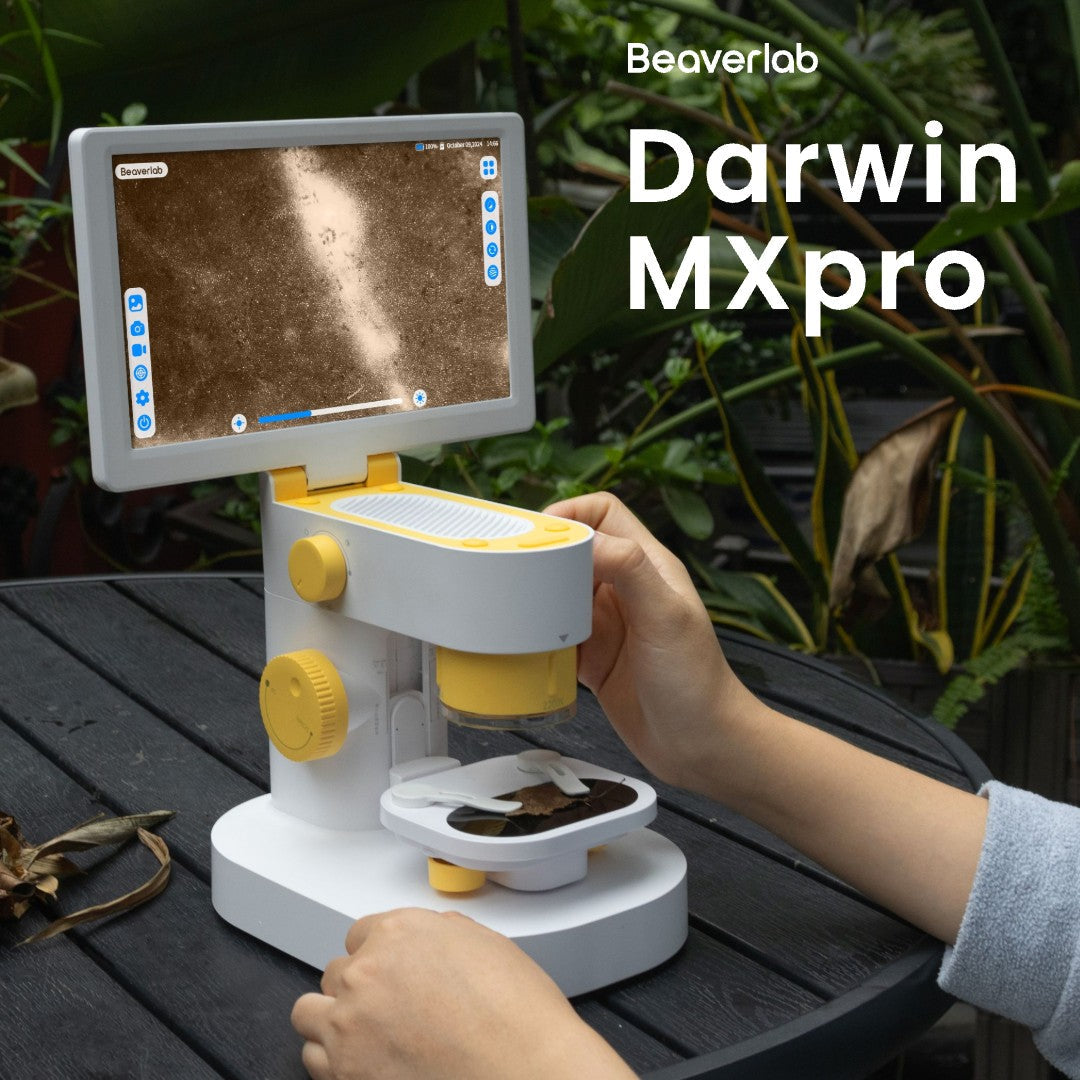
A built-in screen lets participants discuss a live view without taking turns at one eyepiece. The Darwin MX Pro is a desktop option with a 9-inch touchscreen, manual focus and adjustable lighting. Those confirmed features make it a candidate for a supervised table station. Test screen visibility from each seat, focus on your own specimens and the space the unit needs on the table. Do not infer a fixed group size from screen dimensions alone.
For a materials or electronics activity, use a sample that represents the actual teaching task and check whether the view is useful. A general observation microscope should not be specified as a professional inspection or repair instrument without separate evidence.
Field and flexible-room activities
The M2 Lite and M2 Plus have built-in screens. Their current product range shows handheld and tabletop kit presentations. Ask for the exact current SKU and box contents before deciding whether one configuration can serve both a trail activity and an indoor station. During a field pilot, check grip, lighting, charging, safe specimen handling and how instructors carry the kit between stops.

Image documentation and group wrap-up
Photo or video capture can support a closing discussion, display board or digital observation log. Test the exact capture and transfer workflow on the proposed model and kit. Ask where files are stored, whether an app or account is required for the chosen workflow, which devices have been tested for transfer, and who can delete participant images. A built-in display does not by itself prove an offline or privacy-compliant workflow. Let the program’s IT and safeguarding teams review any student-data use.
Run a pilot before the busy season
Give a facilitator the same equipment, specimens and time slot planned for a real session. A useful pilot record has five parts:
- Setup and reset: Time the unpacking, focusing, cleaning, charging and repacking steps between groups.
- Specimen fit: Try the actual leaves, fabrics, rocks or other samples in the activity, with the lighting and stand configuration quoted.
- Shared viewing: Observe whether participants can see and discuss the image from the intended positions. Test any projector or tablet connection on the exact device combination before promising it in a program plan.
- Capture and custody: Save a sample photo or clip, then move and delete it through the program’s approved process. Record whether an app, account or network is involved.
- Kit and version match: Record the model, SKU, accessories and identifiable hardware or software revision of the test unit. Ask how the delivered batch will be matched to it and how substitutions will be disclosed.
Treat the pilot as a procurement record. It helps compare suppliers on the same activity rather than comparing unrelated headline specifications.
Give every supplier the same program brief
For a single venue or multi-site camp network, send a short brief that includes station count, sites, delivery country, session dates, intended specimens and preferred handheld or tabletop configuration. Ask each supplier to answer the same questions in writing:
- What is the exact sellable SKU and itemized box content for each proposed kit?
- Which manuals, instruction languages and destination-specific safety or conformity documents apply to that SKU?
- Which sample-unit and sample-fee terms are available, if any?
- What are the current stock or production assumptions, quote validity, shipping terms and receiving windows for each site?
- Who handles damage on arrival, warranty requests, replacement parts and technical questions?
- If the activity uses an app, how are participant files and accounts handled in that specific workflow?
These are evaluation points, not blanket promises that every destination, kit or service route is available. Put the agreed answers in the quote and purchase documents.
Plan the next STEM cohort with BeaverLAB
BeaverLAB’s Business & Education Procurement request gives program directors a route to describe the microscope series, quantity, organization, delivery country and timeline. Include your station plan, representative specimens and whether you want to evaluate a sample unit. Ask for written confirmation of the current kit, destination documents, delivery and after-sales terms before placing an order.
If you are still comparing models, browse the digital microscope collection and bring two or three candidate setups to your pilot. The best program kit is the one that works for your actual activities and operating routine.