

Buying Guides
Buying Digital Microscopes in Bulk for Schools: A Public Buyer Checklist
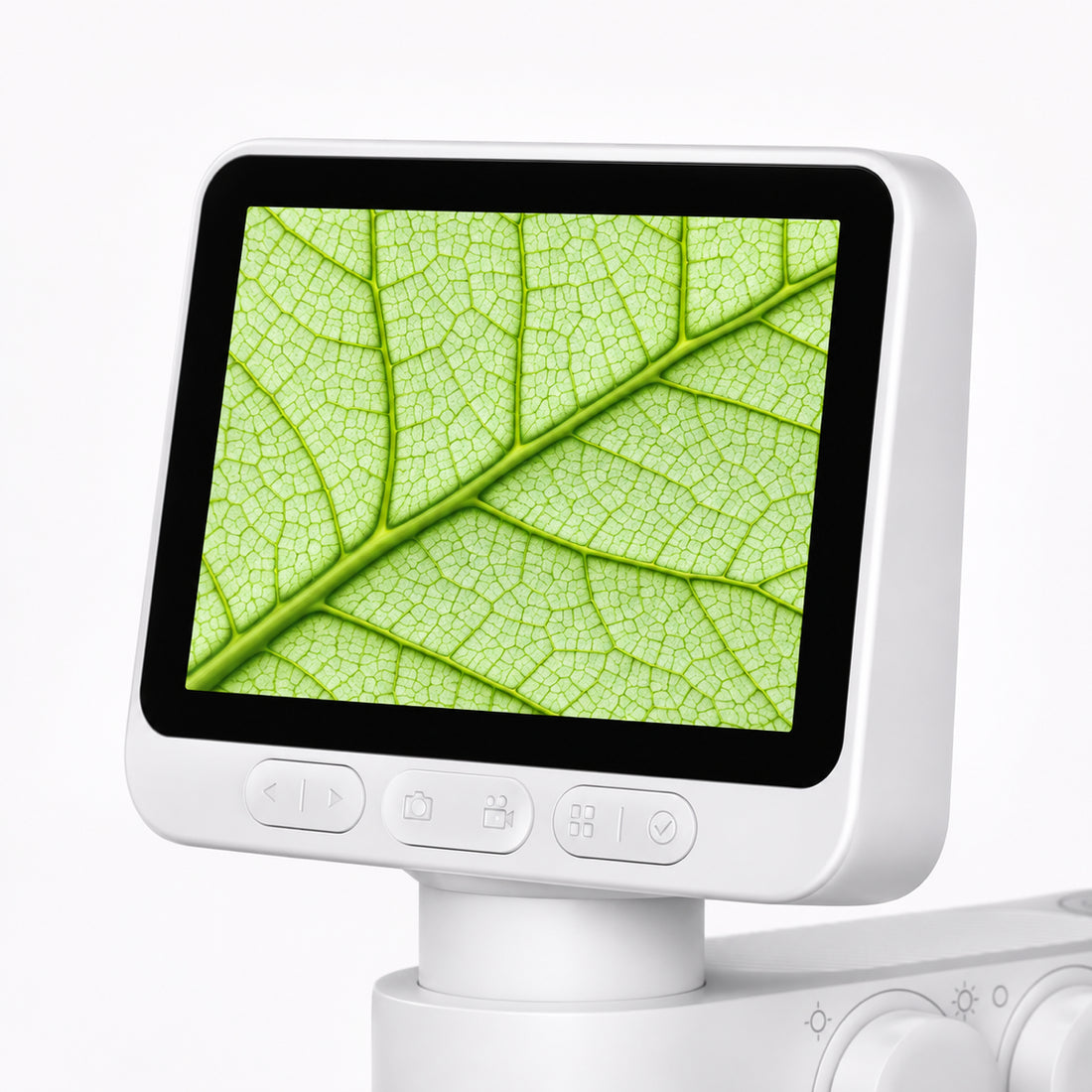
Imagine two schools in the same district: one wants pupils to compare leaf surfaces, while another needs images for a science report. A headline magnification figure will not tell a buying team whether the same kit works for both. The useful questions are about lessons, shared viewing, delivery, support and the buyer’s purchasing rules. Put those questions into the request for information before asking for a unit price.

This checklist is for public education authorities, school districts and regional purchasing teams comparing digital microscopes for shared observation and image documentation. It also helps identify when a traditional compound microscope is the better tool for a particular biology task.
BeaverLAB’s current M2 Lite, M2 Plus and MX Pro models have built-in displays, so a teacher can begin with on-device viewing instead of requiring every student to use a phone. For desktop observation, MX Pro has a 9-inch touchscreen, manual focus and adjustable lighting. Test every proposed model and kit against the buyer’s specimens, lesson goals and student-use context; screen size alone does not establish group capacity.
1. Begin with the learning task, not a model name
Write down the specimens students will actually examine. Leaves, fabric, insect wings and other reachable surfaces call for a different viewing setup than thin prepared slides and cellular biology. Ask each supplier to show representative sample images taken with the exact proposed model and kit. Include the lighting, viewing distance and capture method used for each image.
Then define how a class will work: one teacher demonstration, small groups, one device per table, or a rotating station. A built-in display can make one specimen visible to a small group. If the lesson needs a projector, a managed laptop or pupil tablets, verify the exact model-to-display connection in a pilot before including it in the specification.

2. Compare the full kit and whole-life cost
The device price is one line of the budget. Ask what the quoted kit includes: base or stand, specimen stage, lighting, charging cable, storage card, slides and protective packaging. Check whether a handheld-only version and a tabletop version would serve different grades or activities.
For each option, calculate a consistent total: devices, accessories, shipping to every school, applicable tax or import costs, teacher setup time, expected replacements, repairs and disposal. A cheap initial price can be poor value if routine damage or missing parts interrupt the lesson. Use the buyer’s own accounting and public-purchasing rules for the formal comparison.
3. Test one unit like a school will use it
Use a short pilot to answer practical questions before committing to a fleet:
| Test | What the buyer should record |
|---|---|
| Start-up and focus | Can a teacher and a student get a useful view within the planned lesson time? |
| Representative specimens | Do the real classroom materials show the details the curriculum requires? |
| Shared viewing | Can the intended group see the display, and is any external connection actually compatible? |
| Capture and export | Where are images stored, and can teachers move them into the school’s approved workflow? |
| Cleaning and storage | What cleaning method is approved, and how will devices be charged and stored? |
| Failure scenario | Who supplies a replacement if a unit arrives damaged or fails mid-term? |
Keep the pilot record with the purchasing documents, including the exact model, kit and identifiable hardware or software revision. Ask how the bulk shipment will be matched to the tested unit, and how any substitution will be disclosed before award. This makes the eventual choice easier to explain to teachers and purchasing reviewers.
4. Ask supplier questions that price sheets miss
Request written answers to these 12 points for the exact model, kit and order size:
- What lessons and specimen types is the proposed setup designed to support, and which are out of scope?
- What is included in every box, with an itemized accessories list?
- What sample images and teacher instructions can be provided for evaluation?
- What quantity bands, quote validity, freight and tax assumptions apply?
- Can the supplier follow the buyer’s approved purchase order, vendor registration, tender or purchasing-framework route, where applicable?
- Where are units stocked, and what delivery window is realistic for each school address?
- Can orders be split by school or scheduled by semester without changing the agreed terms?
- What is the written warranty, damaged-on-arrival procedure and repair or replacement path?
- Which spare parts or accessories are replaceable, and for how long are they expected to remain available?
- Does the proposed workflow require an app, account, Wi-Fi or cloud service? If so, what pupil or teacher data is processed?
- Which device and operating-system combinations have actually been tested for image transfer or external display?
- Who is the named contact for order, technical and after-sales questions?
For a formal RFP, ask each supplier for an evidence matrix keyed to the exact proposed SKU and destination. It can list the current specification and manual, applicable safety or conformity records, instruction language, and the policy for changes between the pilot and delivered batch. Request the actual documents and let the buyer’s procurement team decide which are required locally; a generic certificate badge is not a substitute for SKU-level review.
Public purchasing routes vary by jurisdiction. The UK Department for Education’s research and preparation guide covers specification, budget and whole-life cost; the Arizona Auditor General’s district FAQ discusses documented purchasing routes. These are country and state examples, not a universal purchasing rule.
5. Separate device use from student-data use
A microscope that records locally may fit a different review path from an app that stores student information. Built-in-screen observation can keep the first classroom pilot simple; if the school later connects an app, ask the supplier to map that exact workflow: whether students need accounts, whether images leave the device, who controls them and how they are deleted. For examples of jurisdiction-specific review, see the US Department of Education’s student privacy resources and the UK’s school EdTech data-protection guidance. Let the buyer’s privacy and IT teams decide what documentation applies in each country.
6. Turn the checklist into a comparable quote
Send every shortlisted supplier the same specimen examples, grade range, number of schools, expected unit count, kit requirements, delivery countries and timeline. Include the purchase-order approval date and each school’s receiving window. Ask for responses in the same format, including quote validity and any proposed model changes. That makes it possible to compare learning fit, total cost and service side by side, rather than comparing unrelated bundles.
BeaverLAB is the brand supplier. Its Business & Education Procurement request asks for the microscope series, quantity, organization type, delivery country and timeline. The public page currently starts volume inquiries at five units of one model and reviews requests above 19 units individually. For any proposed order, ask whether the destination, quantity, purchase-order route, sample unit, split delivery and preferred shipping terms can be supported. Request written confirmation of the legal seller, current stock or production plan, sample-fee terms, dispatch window, warranty and final contract terms. A form submission is an inquiry, not an order.
Explore more BeaverLAB digital microscopes to compare current models and kits.