

Buying Guides
A Digital Microscope Buying Guide for Multi-Campus K-12 Schools
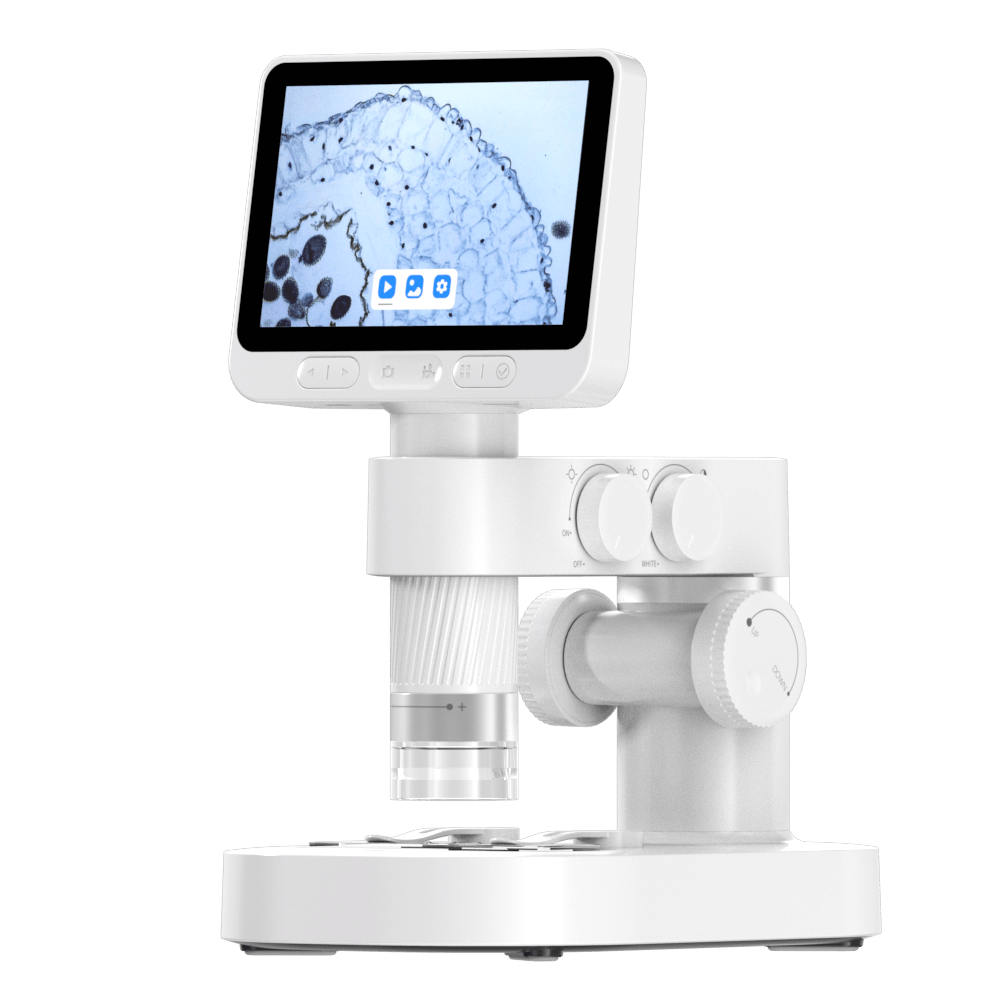
A primary classroom may want a shared view of leaf textures; another campus may need students to document fabric or insect-wing details in a report. A school group buying across both campuses needs a kit that supports those lessons, is simple for teachers to set up and remains usable when an accessory goes missing. Start with the teaching jobs, then decide where a common kit helps and where a campus needs an exception.

This guide is for academic leaders, science coordinators and central purchasing teams in private, international and other multi-campus K-12 networks. It focuses on a repeatable evaluation method, not a single country’s purchasing procedure.
BeaverLAB proposes its M2 family and MX Pro for kindergarten through junior-secondary learning. Its current M2 Lite, M2 Plus and MX Pro models have built-in displays, so the first evaluation can focus on what teachers and student groups see directly on the device. The school group should still specify the exact kit and test the intended lesson rather than treat age range alone as proof of fit.
Define a common learning task and the permitted exceptions
Start with three real lesson scenarios: a teacher demonstration, a small-group investigation and a student image report. Name the age band, specimen, expected visible detail and intended display method for each. A digital microscope may be useful for surface textures and shared viewing. If a lesson requires thin prepared slides and cellular structures, compare the proposed device with a suitable compound microscope using actual specimens. Do not assume that one instrument covers every science objective.
Create a common specification for the tasks shared across schools. Then list exceptions, such as a secondary biology lab that needs a different optical setup or a campus that cannot use a phone-based workflow. This gives suppliers a fair basis for quoting a standard kit and any justified variants.

Compare a complete classroom kit
Ask each supplier to identify the exact model and kit, including stand or base, lighting, storage, charging, image capture and any accessories. A quote for a handheld device alone cannot be compared directly with one that includes a stable tabletop arrangement. Request photographs of the real kit and test images of the network’s typical specimens.
Run a pilot in at least two different teaching settings. Record how quickly a teacher can set up a useful image, whether a student group can see and discuss it, how the device is cleaned and stored, and whether teachers can export images into the school’s approved report workflow. If a projector, laptop or tablet is required, verify the actual connection for the exact model and operating system before making it a group-wide requirement.
Calculate the cost of deployment, not just the unit price
The same unit price can lead to very different network costs. Ask suppliers to separate device and accessory prices, freight to each campus, applicable taxes and duties, spare parts, expected replacement process and support. Estimate teacher setup and training time. Decide who manages serial numbers, storage and damaged units at the central office and at each campus. For a BeaverLAB inquiry, ask whether local fulfillment or FOB Shenzhen is suitable for the destination, and record dispatch and transit as separate dates.
The UK Department for Education’s school buying preparation guidance is a useful example of whole-life-cost thinking. Its legal buying route is specific to its jurisdiction; a global school group should apply its own local procurement rules in each country.
Ask suppliers for answers that scale across campuses
Send every shortlisted supplier the same written questions:
- Which age bands, specimens and teaching tasks does the proposed kit support, and which need another instrument?
- What exactly is in each kit, and which parts can be replaced separately?
- Can the supplier provide test images, a teacher quick-start and a sample or pilot route if available?
- What is the written quote for each quantity band and delivery country, including freight and tax assumptions?
- Can units be labeled, shipped and invoiced by campus if the school group requires it?
- What stock, lead-time and split-delivery commitments can the supplier document for each market?
- What are the written warranty, damaged-on-arrival and repair or replacement terms?
- Who supports teachers locally when focus, lighting, charging or image export fails?
- Does any app or cloud service process student or teacher data? If so, where does data go and how is it deleted?
- Which conformity, safety and instruction-language documents apply to each destination SKU and country?
The data question changes with the workflow. A device used without student accounts should be described separately from an app or cloud workflow. School groups should let their own privacy and IT teams review the relevant supplier documents. The UK’s EdTech data-protection guidance and the US Department of Education’s student privacy resources offer jurisdiction-specific examples.
Turn the evaluation into a consistent request
A useful request for information states the number of campuses, grade range, lesson tasks, likely unit count, countries, delivery schedule, kit requirements and document requirements. Ask each supplier to answer in the same order. That makes teaching fit, total cost and support easier to compare.
BeaverLAB says it can discuss direct supply to US and European school groups, including purchase orders, multi-campus split delivery and sample units. Its Business & Education Procurement form accepts organization, country, microscope series, quantity and timeline details. The public page starts volume inquiries at five same-model units and reviews requests above 19 units individually; other minimum quantities should be discussed in the written quote. Include the group’s curriculum, campus addresses and preferred local or FOB Shenzhen route so the team can check stock, timing and the legal seller. Ask for the one-year warranty and any sample-fee return terms in writing. A submitted inquiry is not a confirmed offer or delivery commitment.
Explore more BeaverLAB digital microscopes to compare current models and kits.